Shopping Cart




Troubleshooting Radio-Controlled Watches: How to Sync Your Casio and Citizen Timepieces
By :
F. Nagy -
Categories :
Watch Care & Technical Guides
Table of contents
keyboard_arrow_down
- Key Takeaways
- The Mechanics of Radio-Controlled Timekeeping
- Common Culprits Behind Syncing Failures
- Environmental Interference and Location
- Power Reserve and Battery Levels
- How to Sync Your Casio Multi-Band 6 Watch
- How to Sync Your Citizen Eco-Drive Radio-Controlled Watch
- The Crucial Role of the Reference Position
- Best Practices for a Flawless Overnight Sync
- Discover Unrivalled Precision at WatchExclusive
- References
Key Takeaways
- Atomic Precision: Radio-controlled watches synchronise with atomic clocks via low-frequency radio waves, ensuring accuracy to one second every 100,000 years.
- Optimal Placement: For a successful sync, place your watch near a window facing the nearest transmitter (e.g., Mainflingen, Germany for Europe) overnight, away from electronic interference.
- Power Matters: Both Casio Tough Solar and Citizen Eco-Drive require a sufficient charge; a low battery will disable the radio-receiving function to conserve power.
- Reference Position: If your analogue watch syncs successfully but displays the wrong time, the hands' "zero position" likely needs realignment, not the radio receiver.
- Manual Syncing: While you can force a manual sync during the day, nighttime reception is significantly more reliable due to reduced ionospheric interference.
The allure of a radio-controlled watch lies in its promise of absolute, uncompromising horological autonomy. The concept is a technical marvel: a wristwatch that silently communicates with the most accurate timekeeping instruments on the planet—atomic clocks—to adjust itself for daylight saving time, leap years, and the subtle drift of its own quartz oscillator. For the seasoned enthusiast and the pragmatic professional alike, the appeal of a timepiece that is perpetually accurate to the second is undeniable. It represents the ultimate intersection of traditional watchmaking architecture and modern telecommunications, blending the tactile joy of a physical dial with the invisible precision of radio waves.
However, this invisible tether to absolute precision is not entirely infallible. Whether you have invested in a rugged Casio equipped with Multi-Band 6 technology or a sophisticated Citizen powered by an Eco-Drive radio-controlled calibre, you may eventually encounter a morning where the time is inexplicably wrong, or the signal indicator stubbornly points to "NO." When a radio-controlled watch fails to synchronise, it rarely points to a mechanical failure or a defective integrated circuit. Instead, the culprit is almost always environmental, geographical, or related to the watch's internal settings. The frustration of a failed sync is common, but it is also easily remedied once you understand the underlying technology.
Troubleshooting these highly advanced quartz calibres requires a basic understanding of how low-frequency radio waves propagate and how the watch's internal software prioritises power management. In this comprehensive technical guide, we will dissect the mechanics of atomic timekeeping, explore the common reasons behind synchronisation failures, and provide step-by-step instructions to manually sync and recalibrate your Casio and Citizen timepieces. By mastering these procedures, you can ensure your watch remains the flawless, set-it-and-forget-it instrument it was engineered to be, delivering the exact time, every time.
The Mechanics of Radio-Controlled Timekeeping
To understand why a watch might fail to sync, one must first understand how the synchronisation process works at a fundamental level. Radio-controlled watches do not connect to the internet via Wi-Fi, nor do they use GPS satellites (unless specifically designated as hybrid or GPS-sync models). Instead, they rely on a highly sensitive, miniaturised ferrite core antenna hidden within the watch case. This antenna is specifically tuned to receive longwave radio signals broadcast by government-operated terrestrial transmission towers. These massive towers are directly linked to caesium fountain atomic clocks, which measure the exact microwave resonance of caesium-133 atoms to maintain time with a staggering margin of error of roughly one second every 100,000 years.
There are six primary time calibration signal stations globally that cater to horological instruments, creating a web of precision across the northern hemisphere. In Europe, the DCF77 transmitter located in Mainflingen, Germany, broadcasts at a frequency of 77.5 kHz, covering a radius of approximately 1,500 kilometres and servicing millions of timepieces across the continent. The United Kingdom relies on the MSF signal broadcast from Anthorn at 60 kHz. In North America, the WWVB tower in Fort Collins, Colorado, also operates at 60 kHz and blankets most of the continental United States and parts of Canada. Japan utilises two distinct stations to cover its mountainous terrain (JJY at 40 kHz in the east and 60 kHz in the west), while China operates the BPC facility at 68.5 kHz. When a watch is marketed as having Casio Multi-Band 6 or being a global Citizen Radio-Controlled model, it means its internal receiver is programmed with the algorithms necessary to decode the time data from all six of these specific frequencies.
The synchronisation process itself is a delicate and time-consuming operation. The time data is transmitted as a continuous, slow-moving binary code. It takes exactly one full minute to send a complete time stamp containing the minute, hour, day, month, year, and current daylight saving time status. If the watch's antenna experiences even a momentary interruption during this critical 60-second window—due to a passing train, a sudden surge in local electromagnetic interference, or simply the wearer moving their wrist—the data packet is corrupted, the checksum fails, and the sync is aborted. As noted by horology experts at Hodinkee, this technology represents the ultimate expression of quartz accuracy,
but it remains strictly bound by the physical limitations and vulnerabilities of radio wave propagation.
Common Culprits Behind Syncing Failures
When your watch fails to update via the radio signal, the integrated circuit does not simply stop working; it defaults to standard quartz timekeeping. A high-quality in-house quartz calibre typically yields an accuracy of ±15 seconds per month without any external synchronisation. While this is perfectly adequate for daily wear and far exceeds the accuracy of most mechanical chronometers, it defeats the core purpose of owning a radio-controlled calibre. Diagnosing the failure requires looking at two primary factors: your immediate physical environment and your watch's internal power reserves.
Environmental Interference and Location
The most frequent cause of a failed sync is signal attenuation caused by physical barriers. Longwave radio frequencies are highly susceptible to being blocked or absorbed by dense materials. Steel-reinforced concrete buildings, subterranean basements, metal roofs, and even modern metalised window screens act as Faraday cages, effectively blocking the 60 kHz or 77.5 kHz signals from reaching the watch. Furthermore, modern homes and offices are filled with devices that emit electromagnetic noise. Placing your watch on a nightstand next to a charging smartphone, a Wi-Fi router, a television, or a microwave oven can drown out the faint atomic clock signal with localised interference, making it impossible for the watch to isolate the time data.
Atmospheric conditions also play a critical, often misunderstood role in radio synchronisation. During the day, the sun's intense solar radiation ionises the D-layer of the Earth's ionosphere (the lowest part of the ionosphere). This ionised layer acts like a sponge, absorbing low-frequency radio waves and severely limiting the terrestrial transmitter's range to just a few hundred kilometres. However, at night, the D-layer dissipates due to the lack of sunlight, allowing the radio signals to pass through and bounce off the higher, more reflective E-layer. This phenomenon, known in radio physics as "skywave propagation," drastically increases the signal's reach, allowing it to travel thousands of kilometres over the horizon. This is precisely why both Casio and Citizen engineer their watches to attempt automatic synchronisation in the dead of night, typically initiating the process at 2:00 AM, 3:00 AM, and 4:00 AM when atmospheric interference is at its absolute lowest.
Power Reserve and Battery Levels
Radio reception is an incredibly power-hungry function for a wristwatch, requiring the internal circuitry to actively listen and process data for several minutes. To manage this immense energy draw, brands integrate advanced solar technology—namely Casio Tough Solar and Citizen Eco-Drive. These proprietary systems utilise microscopic solar panels beneath the dial to convert natural sunlight and artificial indoor light into electrical energy, storing it in a high-capacity rechargeable titanium lithium-ion secondary battery. However, if the watch has been kept in a dark drawer, worn under thick winter sleeves, or only exposed to dim office lighting for extended periods, the power reserve will inevitably drop.
When the battery level falls below a critical threshold, the watch's internal software enters a strict power-saving mode. It will intentionally disable the radio receiver to ensure the stepper motors have enough energy to continue moving the hands and keeping basic time. On many analogue models, a low battery is visually indicated by the second hand jumping in two-second intervals rather than ticking once per second. On digital displays, a "LOW" or "CHG" indicator will flash. If your watch is exhibiting this behaviour, no amount of manual syncing or perfect window placement will work. The radio function is locked out until the timepiece is exposed to direct, bright sunlight for several hours to adequately replenish its charge.
How to Sync Your Casio Multi-Band 6 Watch
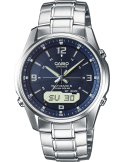
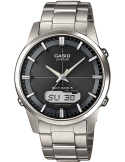
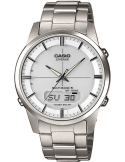
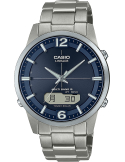
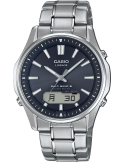
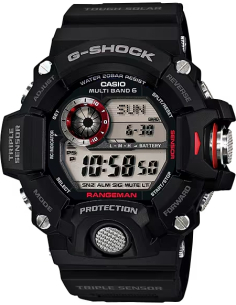
Casio's implementation of radio-controlled technology is renowned for its robust reliability and user-friendly interfaces, particularly within their G-Shock, Edifice, and Lineage collections. A prime example of this utilitarian precision is the Casio Radio Controlled LCW-M100DSE-2AER Watch. Featuring a highly legible hybrid analogue-digital display (often referred to as an ana-digi layout), this model makes troubleshooting highly intuitive, as the digital LCD screen provides explicit, real-time feedback regarding the sync status, eliminating the guesswork often associated with purely analogue models.
If your Casio is not syncing automatically overnight, the very first step is to verify your Home City setting. The watch uses the designated Home City to determine which of the six global transmitters it should actively listen to. If you live in London but your watch is accidentally set to Tokyo (TYO), it will fruitlessly search for the 40 kHz JJY signal and completely ignore the local 60 kHz MSF signal. To check this on most Casio modules, enter the main Timekeeping Mode and press and hold the top-left button (usually labelled Adjust) until the city code begins to flash on the digital display. Use the right-side buttons to scroll through the list until you find your correct local time zone, then press the Adjust button once more to lock it in and exit the setting screen.
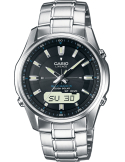
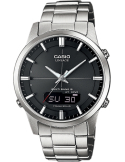
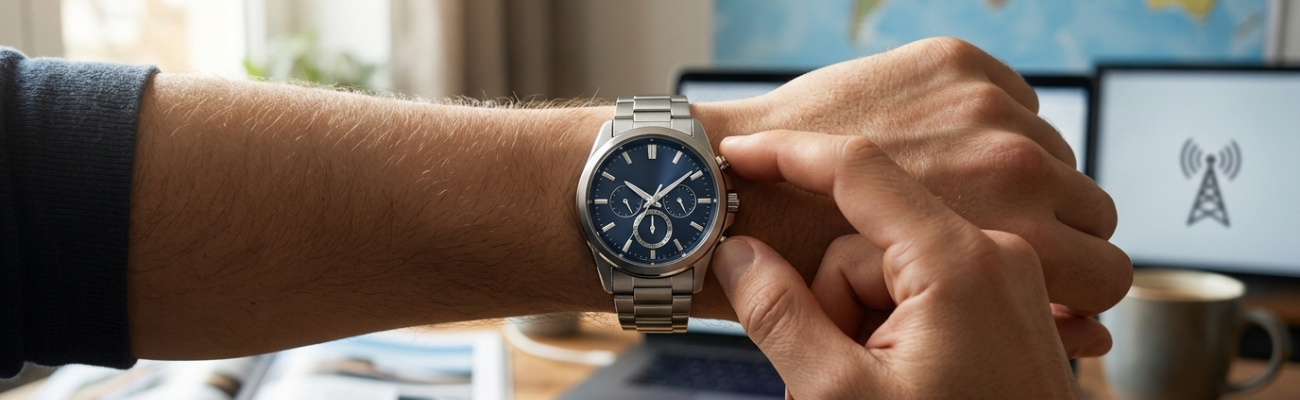
Once the correct Home City is established, you can initiate a manual receive operation. For most Casio models, including those featured in our extensive Casio Radio Controlled collection, navigate to the standard Timekeeping Mode. Press and hold the bottom-right button (often labelled Receive or Search) for about two to three seconds. The watch will emit a sharp beep, and the digital display will flash "RCVD" or "RX," indicating that the antenna is now actively searching for the signal. Place the watch on a stable surface near a window, face up, with the 12 o'clock position pointing toward the general geographical direction of the nearest transmitter. Do not move the watch, touch it, or press any buttons for the next 2 to 10 minutes. If the synchronization is successful, the display will show the exact time and date of the successful sync; if it fails due to interference or low signal strength, it will display "ERR" (Error), prompting you to try again in a better location or wait for the automatic overnight sync.
How to Sync Your Citizen Eco-Drive Radio-Controlled Watch
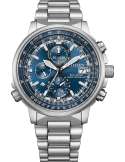
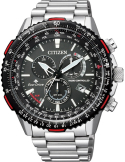
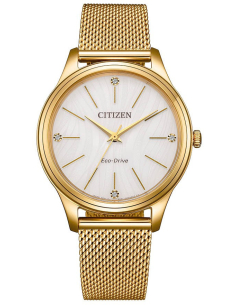
Citizen approaches radio-controlled timekeeping with a distinct focus on sophisticated, purely analogue displays, often integrating the technology into complex chronographs, world timers, and perpetual calendars. The Citizen Radio Controlled Promaster Sky AT8300-58L Watch is a masterclass in this specific design language. It utilises dedicated sub-dials and the central sweep second hand to communicate complex information like signal strength, reception status, and power reserve, maintaining a classic aviation aesthetic while housing cutting-edge technology.
Similar to Casio's system, a Citizen watch must have the correct time zone selected to function properly. On models powered by the popular H800 or H820 calibres, you typically begin by pulling the crown out to the first click position. The central second hand will immediately jump to point at the currently selected city, which is usually engraved on the outer bezel or the inner chapter ring. Rotate the crown smoothly to move the second hand and select your local city, then push the crown firmly back in. This action tells the Eco-Drive calibre exactly which regional frequency to monitor and applies the correct offset from Coordinated Universal Time (UTC).
To perform a manual sync on a Citizen timepiece, ensure the crown is pushed all the way in to its normal operating position. Press and hold the lower right button (often recessed to prevent accidental presses, or labelled as button 'A' in the manual) for two to three seconds. The second hand will sweep gracefully to the "RX" (Receive) position on the dial. Place the watch on a stable, non-metallic surface near a window. As the watch locks onto the radio signal, the second hand may move to indicate the current signal strength: "H" (High), "M" (Medium), or "L" (Low). According to the official Citizen Watch Global Network manual, this receiving process can take anywhere from 2 to 15 minutes depending on atmospheric conditions and signal clarity. If the sync is successful, the watch will automatically adjust the hour and minute hands to the exact atomic time. If it fails, the second hand will point to "NO" for a few seconds before resuming its normal timekeeping operation.
The Crucial Role of the Reference Position
One of the most common, perplexing, and frustrating issues encountered by owners of analogue radio-controlled watches is a successful sync that results in the wrong time being displayed. You might press the status button, watch the second hand point proudly to "OK" or "RCVD," only to realise the watch is exactly two hours and fifteen minutes fast, or the date is stuck halfway between two numbers. This is not a failure of the radio receiver, nor is it a glitch in the atomic clock transmission; it is a mechanical misalignment of the reference position, also known in horology as the "zero position."
In an advanced analogue quartz watch, the physical hands are driven by independent, microscopic stepper motors, which consist of a magnetic rotor and a stator. These motors are controlled by the watch's integrated circuit (IC). The IC knows the exact atomic time digitally, but it relies on an assumed physical starting point for the hands to display that time correctly. If the watch experiences a severe physical shock (like being dropped on a hardwood floor, or the impact of a golf swing) or is exposed to a strong magnetic field (such as resting on a laptop speaker, a magnetic money clip, or an induction stovetop), the magnetic rotors can slip. The physical hands become desynchronised from the digital time kept by the IC. When the watch syncs with the tower, the IC updates perfectly, but it moves the hands based on a corrupted, incorrect starting point.
To fix this misalignment, you must perform an "All Reset" and manually realign the zero position. While the exact button sequence varies slightly by calibre, it generally involves pulling the crown to its furthest position and holding two buttons simultaneously for several seconds to perform a hard reset of the IC. Following this, you use the pushers to manually drive every single hand—including the hour, minute, second, 24-hour sub-dial, and even the date wheel—to exactly 12 o'clock (and the date to '1'). Once this mechanical baseline is perfectly re-established, you push the crown back in and initiate a manual radio sync. The watch will now calculate the time from a true, calibrated zero, and the hands will align perfectly with the atomic signal, restoring the watch to its intended precision.
Best Practices for a Flawless Overnight Sync
To minimise frustration and ensure your timepiece remains a paragon of accuracy, adopting a few simple best practices for overnight storage can make all the difference. The primary goal is to give the internal ferrite core antenna the clearest possible line of sight to the longwave radio transmitter, minimising physical obstructions and electromagnetic interference.
First, consider the physical orientation of the watch. The internal antenna is usually located on the 9 o'clock or 12 o'clock side of the case, depending on the specific movement architecture. When placing the watch on a windowsill before bed, ensure this specific side is facing outward, ideally in the general geographical direction of the transmitter (for example, facing East if you are in the UK trying to catch the German DCF77 signal, or facing Colorado if you are on the US East Coast). Lay the watch flat on its case back or prop it up securely on a wooden or plastic stand; avoid leaving it face down, as the solid metal case back can sometimes impede the radio signal more than the mineral or sapphire crystal.
Second, practice strict electromagnetic hygiene. Keep the watch at least one to two metres away from smartphones, tablets, laptops, wireless chargers, and smart home devices. The localised electromagnetic "noise" generated by these modern devices can easily overpower the faint 60 kHz or 77.5 kHz atomic signal, causing the watch's receiver to time out and fail the sync.
Finally, for horology enthusiasts living in regions entirely outside the range of the six global transmitters—such as Australia, South America, or parts of Southeast Asia—all is not lost. You can utilise ingenious smartphone emulator applications like "Clock Wave" (for iOS) or "DCF77 Emulator" (for Android). These applications use your phone's internal speaker to emit a localised, low-frequency electromagnetic pulse that perfectly mimics the exact frequency and binary code of an atomic clock tower. By turning your phone's volume to maximum, placing your watch directly against the phone's speaker, and initiating a manual sync, you can trick the watch into receiving the time data. This clever workaround allows you to enjoy the benefits of atomic precision and automatic calendar updates anywhere in the world, regardless of your proximity to a physical transmission tower.
Discover Unrivalled Precision at WatchExclusive
A radio-controlled watch is far more than just a tool for telling time; it is a testament to human ingenuity and the relentless pursuit of absolute accuracy. When properly configured, charged, and understood, these timepieces offer a level of reliability and low-maintenance ownership that traditional mechanical watches simply cannot match. By mastering the nuances of signal reception, solar power management, and reference position alignment, you ensure that your watch remains a faithful, zero-maintenance companion for years to come, always ready to deliver the exact time at a glance.
If you are ready to experience the ultimate in horological precision and upgrade your daily wear, we invite you to explore our curated selections. The rugged versatility and intuitive display of the Casio Radio Controlled LCW-M100DSE-2AER Watch offers an excellent, highly durable entry point into the world of Multi-Band 6 technology. For those who prefer sophisticated aviation-inspired aesthetics combined with advanced Eco-Drive capabilities, the Citizen Radio Controlled Promaster Sky AT8300-58L Watch stands as a pinnacle of modern quartz watchmaking. Discover these exceptional models and browse our complete collection of Citizen Radio Controlled timepieces at WatchExclusive, where uncompromising accuracy meets exceptional design.
References
- Citizen Watch Global Network. Official Instruction Manuals and Technical Support for Eco-Drive Radio-Controlled Calibres.
- Hodinkee. Editorial insights on the evolution of quartz accuracy and atomic timekeeping technology.
- Casio Official Technology Guide. Multi-Band 6 and Tough Solar Power Management Specifications.
- National Institute of Standards and Technology (NIST). Radio Station WWVB and Low-Frequency Signal Propagation.
Share this content